GMV Decompose icon

GMV Decompose: split the song and play along.

Split any song into 6 tracks β€” vocals, drums, bass, guitar, piano and other β€” on your own computer, and take it all to your phone with lyrics, synced chords and key change.

Download for Windows Coming soon to Google Play

Two apps, one goal

The PC does the heavy lifting; your phone is where you listen, rehearse and play.

πŸ“± On your phone Β· Android

Hear each instrument on its own

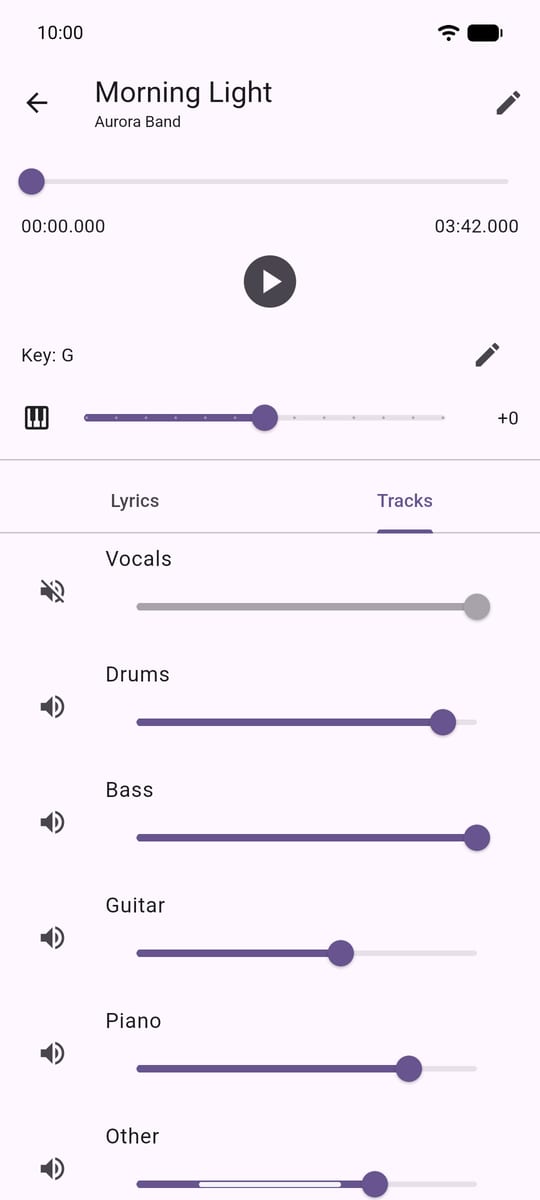
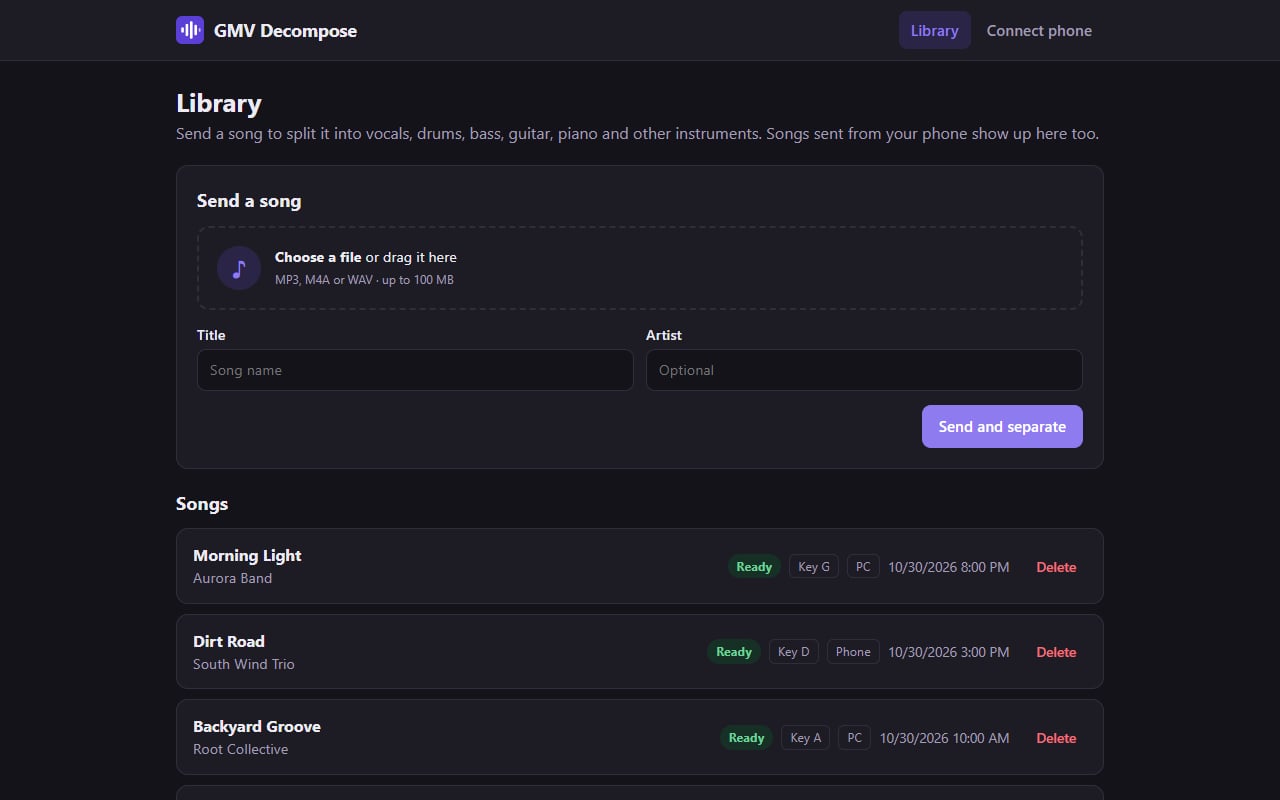
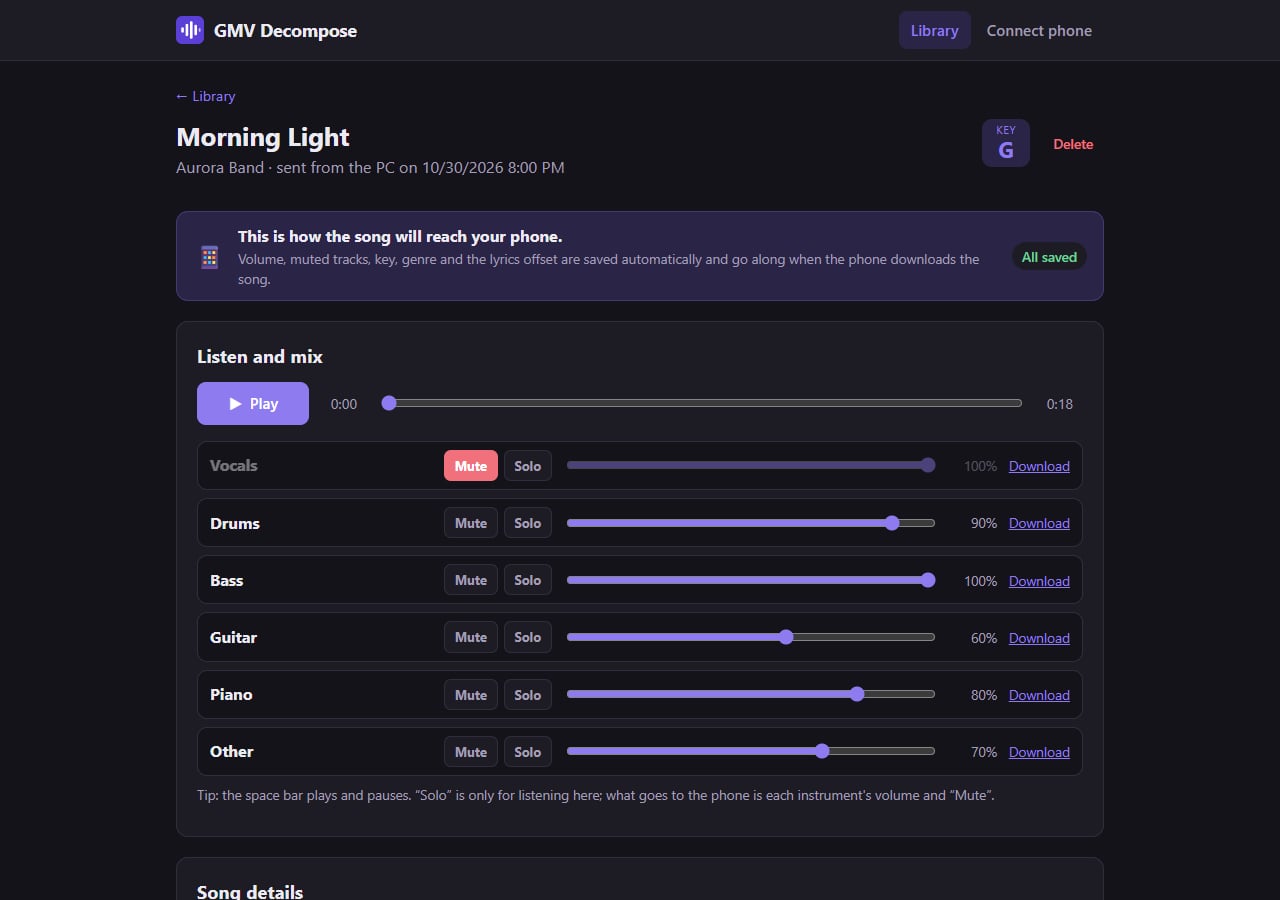
  • 6 independent tracks Vocals, drums, bass, guitar, piano and other, each with its own mute and volume.
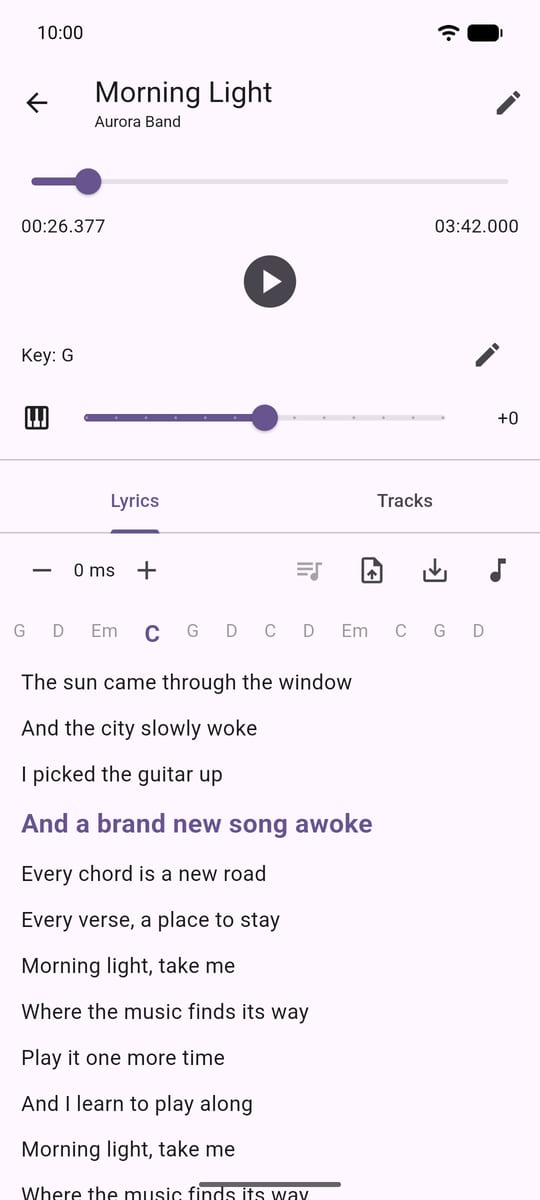
  • Lyrics and chords in time with the song Karaoke mode with the chords showing up at the right moment.
  • Real-time key change Raise or lower the key without changing the tempo.
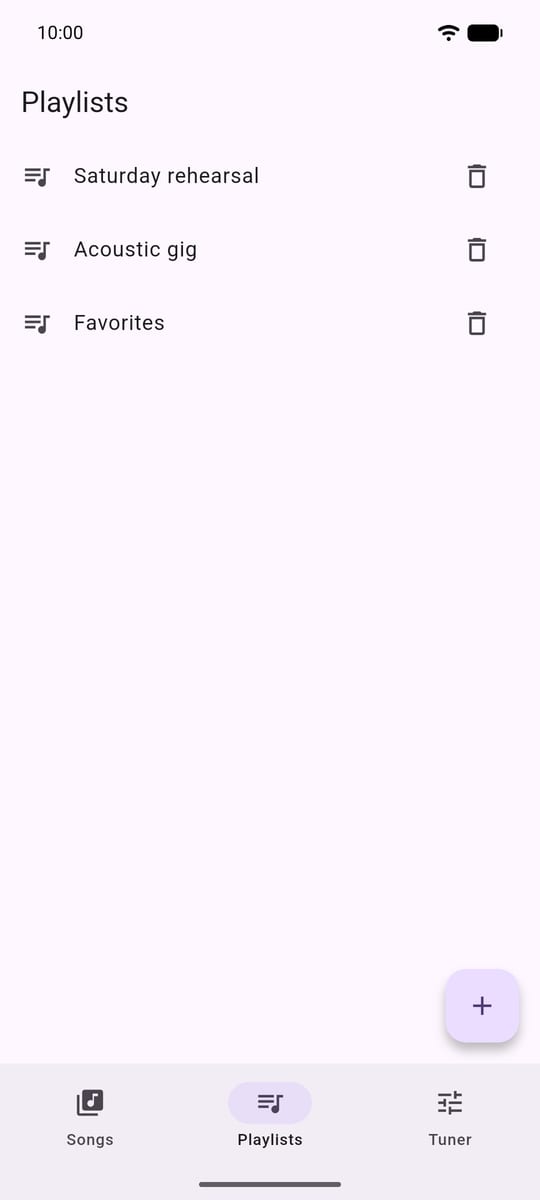
  • Playlists by genre Build set lists and play them in sequence, hands-free.
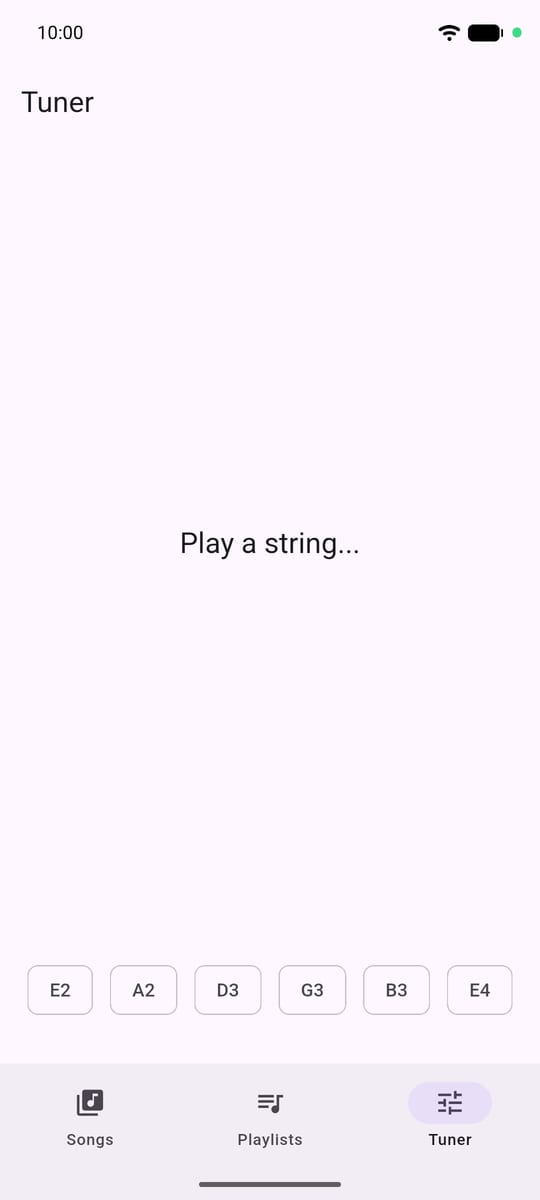
  • Built-in tuner Tune your instrument without leaving the app.
πŸ’» On your PC Β· Windows, free

The processing stays with you

  • AI-powered separation Tracks are separated on your computer, without sending anything to the cloud.
  • Automatically synced chords Paste a chord sheet and get the lyrics with the chords already timed.
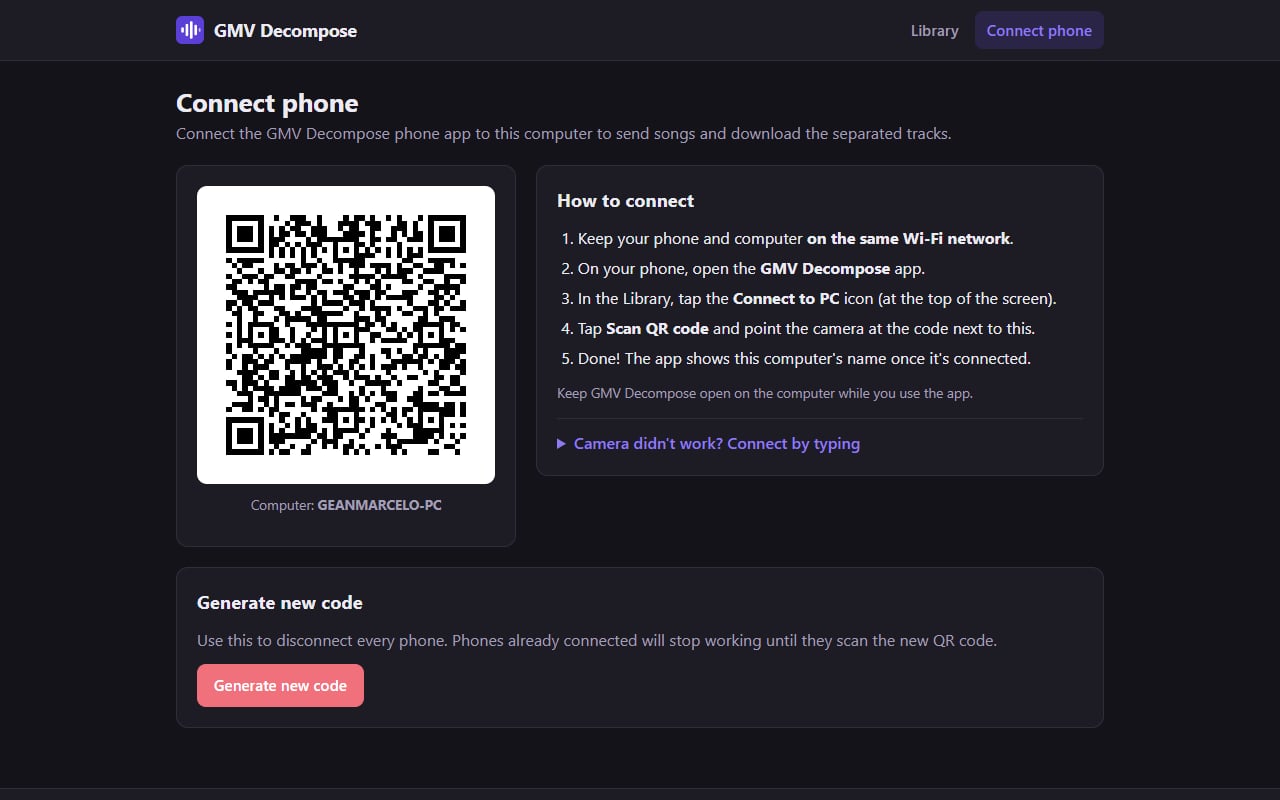
  • QR code connection Your phone connects to the PC over the same Wi-Fi network to send and download songs.
  • Your music stays at home Everything happens on your local network, with no cloud upload.
  • Always up to date The program updates itself when a new version comes out.

How it works

Three steps and you’re playing along.

  1. 1

    Install on your PC

    Download GMV Decompose for Windows and open it. The first time, it downloads the separation components.

  2. 2

    Connect your phone with the QR code

    With your phone and PC on the same Wi-Fi, open the app, tap Connect to PC and point the camera at the QR code.

  3. 3

    Separate and play

    Send a song, wait for the separation and download the tracks to your phone to listen, mix and play along.

Screenshots

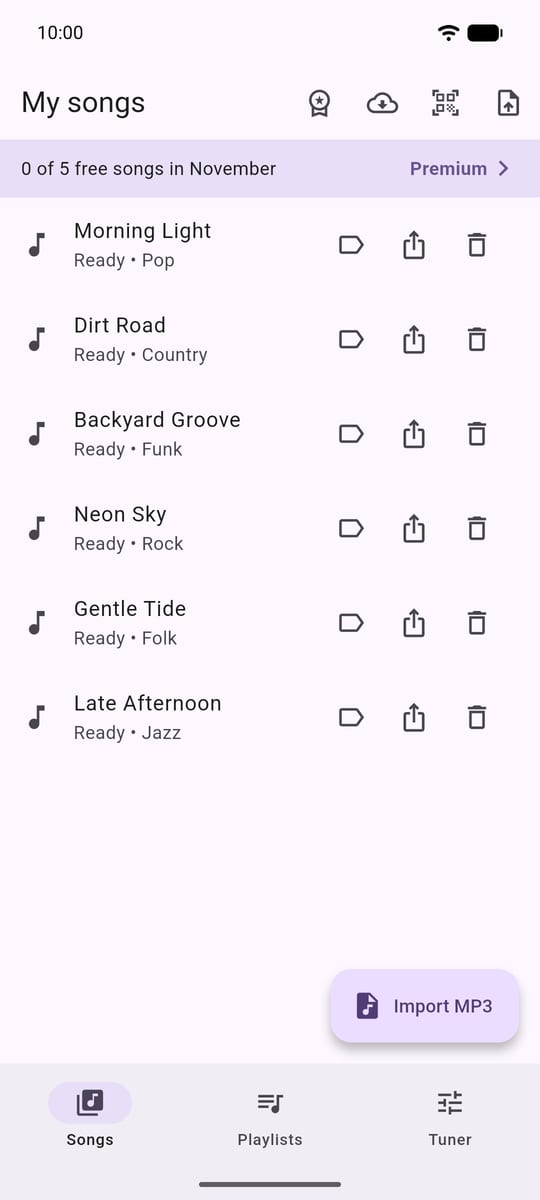
The phone app and GMV Decompose open in the PC’s browser.

Download

Install the free program on your PC and the app on your phone.

πŸ’» Windows

GMV Decompose for PC

Download installer (.exe)

Requirements

  • Windows 10 or 11, 64-bit
  • About 4 GB of free disk space
  • 8 GB of RAM (recommended)
  • Phone and PC on the same Wi-Fi network

The first time

  • The program downloads about 1.4 GB of separation components. This only happens once.
  • Windows may ask whether the program can access the network: allow it on private networks so your phone can connect.
  • Separating a song takes about 1 minute on an average computer.

πŸ“± Android

GMV Decompose for phone

Coming soon to Google Play

After installing

  • Open the app and tap Connect to PC.
  • Scan the QR code on the Connect phone page of the program on your PC.
  • Done: send songs and download the separated tracks straight to your phone.

Privacy

Your songs stay between your phone and your PC. Read the privacy policy.